
Drillbook1.0 - Google Play
You'll be able to see results in few seconds.
Publisher Description
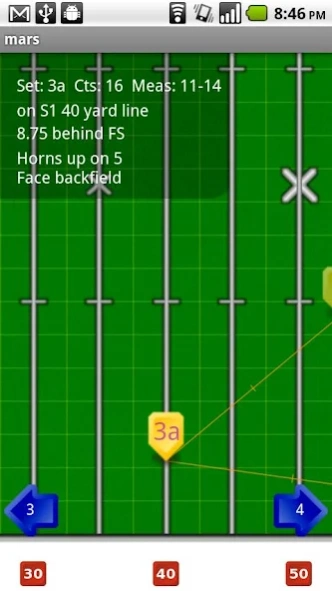
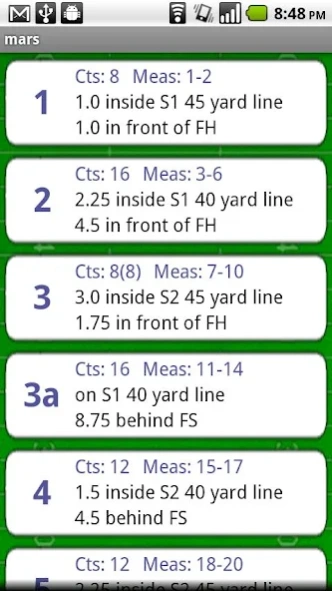
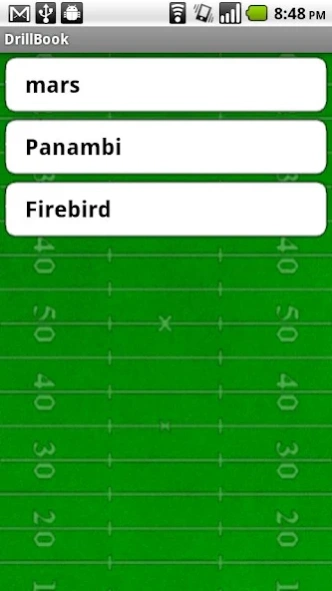
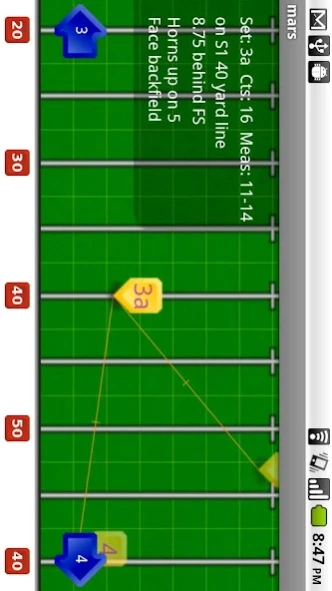
Enjoy millions of the latest Android apps, games, music, movies, TV, books, magazines & more. Anytime, anywhere, across your devices.
Drillbook.
Better set books.
For Android and iPhone.
Drillbook is the essential app for the college or high school marching band student. For less than the cost of a pencil and a notebook, you can have a simple, easy to use app that replaces handwritten set and drill books.
Features include:
· Step through your sets on the field
· View a compact list of sets for faster viewing
· Email a PDF of your sets for printing
· View current, previous, and next sets on a field
· Portrait and landscape mode
· Scroll the field
· College or high school hashes
· Lines connecting each set with halfway points marked
· Halfway points are an option, and they are printable
· Marcher View flips the field
· Auto ordering of sets, 4, 4a, 4b, 5.
· Rename hashes, sidelines and sides
· Unlimited number of songs
· Reorder and delete songs
Can't carry a phone on the field? You can email yourself a PDF of your sets to print off. Drillbook also makes a great review tool when you're not at rehearsal.
Instructors can pre-program Drillbook with sets for a missing member and get them up to speed quickly.
No more frantically flipping page by page. No more keeping track of your pencil. No more faded or lost pages. Drillbook keeps you prepared and efficient in rehearsal, making you a better marcher.
About Drillbook
The company that develops Drillbook is Scott Rundell. The latest version released by its developer is 1.0.
To install Drillbook on your Android device, just click the green Continue To App button above to start the installation process. The app is listed on our website since 2011-07-16 and was downloaded 0 times. We have already checked if the download link is safe, however for your own protection we recommend that you scan the downloaded app with your antivirus. Your antivirus may detect the Drillbook as malware as malware if the download link to com.scottrundell.drillbook is broken.
How to install Drillbook on your Android device:
- Click on the Continue To App button on our website. This will redirect you to Google Play.
- Once the Drillbook is shown in the Google Play listing of your Android device, you can start its download and installation. Tap on the Install button located below the search bar and to the right of the app icon.
- A pop-up window with the permissions required by Drillbook will be shown. Click on Accept to continue the process.
- Drillbook will be downloaded onto your device, displaying a progress. Once the download completes, the installation will start and you'll get a notification after the installation is finished.
Program Details
System requirements
Download information
Pricing
Version History
version 1.0
posted on 2011-07-16
Several fixes and updates
version 1.0
posted on 2011-07-16
Disclaimer
Official Google Play Link
We do not host Drillbook on our servers. We did not scan it for viruses, adware, spyware or other type of malware. This app is hosted by Google and passed their terms and conditions to be listed there. We recommend caution when installing it.
The Google Play link for Drillbook is provided to you by apps112.com without any warranties, representations or guarantees of any kind, so access it at your own risk.
If you have questions regarding this particular app contact the publisher directly. For questions about the functionalities of apps112.com contact us.
